Announcement
How to Simplify Customer Support with Automated Ticket Routing
written by:
William gyltman
Automated ticket routing assigns incoming support requests to the most appropriate agent or team based on predefined rules, eliminating the need for manual triage. This technology streamlines the process, enabling businesses to significantly reduce response times, improve customer satisfaction, and enhance overall operational efficiency. By ensuring that each query is routed to someone equipped to resolve it quickly and effectively, companies can maintain customer trust while reducing the operational burden on their teams. For instance, during high-volume periods such as a product launch, automated routing can ensure that critical issues like billing errors or outages are prioritized and resolved swiftly, leaving routine queries to be handled systematically. This allows support agents to focus on delivering solutions rather than sorting through a growing backlog of tickets, creating a more productive and less stressful work environment.
Automated ticket routing reduces first-response times by prioritizing urgent queries.
It eliminates manual sorting, freeing up agent capacity for more complex tasks.
Routing rules ensure that VIP customers and specific issues are handled by the right specialists.
What is automated ticket routing?
Automated ticket routing is a system that uses predefined rules, algorithms, and sometimes artificial intelligence to assign customer queries to the most suitable agents or teams. It ensures that the right people handle the right issues, minimizing response times and improving efficiency. Acting as an intelligent middle layer between incoming customer queries and the support team, the system categorizes tickets based on criteria such as urgency, customer sentiment, or the nature of the issue. This prevents common bottlenecks that arise from manual triaging, such as critical tickets being delayed due to human oversight or overwhelmed agents struggling with excessive workloads. By automating this process, businesses can focus on resolving issues rather than spending valuable time on administrative tasks.
The system operates by analyzing specific details of each incoming ticket—such as keywords mentioned, the customer’s history, or even sentiment analysis—and matching them with the expertise, availability, or priority level of support agents. For instance, a ticket mentioning "billing issue" might be recognized by the system and routed directly to the billing support team, bypassing the general queue. This targeted routing not only ensures that tickets land in the correct hands immediately but also reduces the time spent shuffling tickets between agents. As a result, resolution times improve, and customers receive faster, more accurate responses to their issues, enhancing their overall experience.
Accuracy is just as critical as speed when it comes to automated ticket routing. By considering factors like customer account tier, issue type, and sentiment, the system ensures that urgent or complex issues are routed to the right hands faster. For example, a premium customer experiencing a major service disruption would have their ticket prioritized and routed to a senior specialist, rather than being lost in a general queue. This level of precision not only enhances customer satisfaction but also helps companies maintain strong relationships with high-value accounts. This is particularly important for growing SaaS companies, where customer retention and loyalty can significantly impact long-term revenue streams.
How does automated ticket routing work?
Automated ticket routing works by leveraging predefined rules, artificial intelligence, or machine learning algorithms to process and assign tickets. It evaluates incoming customer queries against specific criteria, such as urgency, account tier, or issue type, to determine the best course of action. By organizing tickets through structured workflows and decision-making algorithms, the system removes the guesswork and inefficiencies associated with manual triage. This is particularly valuable for support teams dealing with high volumes of tickets, where manual allocation processes often lead to delays, errors, and a strained workforce. For example, during a service outage, the system can ensure that all related tickets are flagged as high-priority and routed to the right escalation team.
Specific criteria for routing might include the severity of the issue (e.g., a service outage), the customer’s account tier (e.g., VIP or enterprise-level), or the type of inquiry (e.g., billing or technical support). For example, a customer reporting a security breach would have their ticket routed to a senior specialist with expertise in security issues, bypassing junior agents or general queues. Advanced systems, like NorthstarDesk’s Compass Routing, offer simulation capabilities that allow managers to test routing rules before they are activated. This ensures that the rules function as intended and reduces the risk of misrouted tickets disrupting workflows or leaving customer queries unresolved.
Additionally, automated systems can dynamically adapt to changing conditions, such as agent availability or ticket surges. For instance, if a high-priority ticket is assigned to an agent who becomes unavailable, the system can reassign it to the next best-qualified agent automatically. This flexibility ensures uninterrupted service even during peak times or unexpected staff shortages, maintaining high service quality. By streamlining these processes, automated ticket routing reduces the operational strain on support teams while ensuring that customers receive timely and accurate resolutions to their issues. This dynamic adaptability is critical for maintaining service quality and customer trust during periods of high demand.
What are the key steps in automated routing?
Implementing automated ticket routing involves several critical steps to ensure its effectiveness and alignment with business needs. Each of these steps plays a crucial role in creating a system that can scale with your operations while meeting customer expectations. Skipping or rushing through these steps can lead to inefficiencies, misrouted tickets, or even frustrated customers and agents, which defeats the purpose of automation. Proper planning and execution are key to ensuring that the system delivers on its promise of efficiency and improved customer satisfaction.
Define routing rules based on business priorities, such as urgency, account tier, or issue type.
Integrate the routing system with your existing support platform to ensure seamless operation.
Perform routing simulations to test and validate the accuracy of the rules before going live.
Continuously monitor system performance and adjust routing rules as needed to adapt to evolving needs.
What are the benefits of automated ticket routing?
Automated ticket routing offers numerous advantages that extend beyond just optimizing workflows. These benefits directly impact customer satisfaction, employee productivity, and overall business performance, making it a critical investment for growing support teams. By resolving issues faster and with greater precision, automated routing fosters trust and loyalty among your customer base. This is particularly important in highly competitive markets where customer expectations are continually rising. Companies that adopt automated routing often find that they can scale their operations more effectively without compromising on service quality.
The first major benefit is the significant reduction in first-response times. By automatically directing tickets to the appropriate queue, the system prevents delays caused by manual sorting and prioritization. For example, during a product launch, when ticket volumes often surge, automated routing can ensure that high-priority issues like outages are addressed immediately, while routine inquiries are systematically handled. This level of responsiveness minimizes customer frustration and ensures that critical issues receive the attention they deserve, helping to build a reputation for reliability and efficiency.
Another key advantage is improved customer satisfaction. When tickets are routed promptly and handled by the most qualified agents, customers feel valued and supported. For instance, resolving a recurring billing error within minutes can turn a frustrated customer into a loyal advocate for your brand. This precision in handling queries not only reduces churn but also strengthens customer relationships, particularly with high-value accounts. For SaaS companies, where customer retention is crucial, these moments of exceptional service can make a significant impact on long-term revenue. The ability to consistently deliver such experiences sets companies apart from competitors.
How does it benefit support agents?
Support agents also benefit from automated ticket routing. By receiving tickets that align with their expertise, agents can focus on resolving issues rather than navigating inefficiencies. This reduces the need for escalations or reassignments, saving time and minimizing frustration. For example, an agent specializing in API integrations will consistently receive tickets related to that area, allowing them to apply their knowledge effectively. This not only speeds up resolution times but also boosts agent morale and job satisfaction by reducing the stress of handling tickets outside their skill set. Ultimately, this creates a more efficient and motivated support team, capable of handling complex issues with confidence.
How to implement automated ticket routing?
Implementing automated ticket routing requires careful planning and a structured approach. By following best practices, businesses can ensure a smooth transition to the new system while minimizing disruptions. A well-executed implementation process involves aligning the system with your specific business goals, training your team, and continuously refining the rules to improve performance. This ensures that the routing system delivers maximum value and supports your operational needs effectively. Additionally, involving all stakeholders during the planning phase helps create buy-in and ensures that the system is tailored to real-world challenges.
Assess your current support processes to identify pain points and areas for improvement.
Choose a robust routing system like NorthstarDesk’s Compass Routing, which offers advanced features and support.
Define and configure routing rules that align with your operational priorities and customer needs.
Provide comprehensive training to your team to ensure they can use the system confidently.
Monitor the system’s performance and refine routing rules based on ongoing data analysis.
During the implementation phase, it’s essential to involve all stakeholders, from support agents to managers, to ensure a smooth rollout. For example, conducting workshops or training sessions that simulate real-world ticket scenarios can help agents understand how the system works and how they can leverage its features. Additionally, using a system with dedicated onboarding support, such as NorthstarDesk, can significantly simplify this process. This preparation ensures that the team is comfortable and confident with the new system, leading to faster adoption and better operational outcomes. It also fosters a culture of collaboration and shared accountability, which is crucial for long-term success.
What challenges might arise with ticket routing?
Although automated ticket routing offers numerous benefits, it also comes with potential challenges that businesses need to address proactively. Common obstacles include poorly defined routing rules, technical integration issues, and resistance to change among team members. These challenges can result in misrouted tickets, delays in resolution, and reduced customer satisfaction. Identifying and addressing these pitfalls early in the implementation process is crucial to the success of the system. For example, involving agents in the rule-setting process can help reduce resistance and ensure that the system is user-friendly.
For instance, if routing rules are either too broad or too specific, tickets may end up in incorrect queues, causing delays and frustration. Regularly reviewing and updating these rules based on performance data can help mitigate such issues. Support managers should establish a routine of monitoring ticket flows and identifying patterns of inefficiency or misrouting. Adjustments to the rules can then be made to align the system more closely with the evolving needs of the business and its customers. This iterative approach ensures continuous improvement and adaptability.
Technical integration can also pose challenges, particularly if the new system needs to work alongside existing support platforms. Choosing a solution like NorthstarDesk, which offers robust integration capabilities and dedicated support, can simplify this process. For example, NorthstarDesk’s Compass Routing includes a simulation feature that allows teams to test their routing rules before going live. This minimizes errors and ensures that the system operates as expected from the start, reducing the risk of disruptions and helping to build trust in the new system among team members.
How does NorthstarDesk streamline ticket routing?
NorthstarDesk’s Compass Routing simplifies the complexities of ticket routing by offering advanced features like simulations, workload balancing, and escalation paths. These tools ensure that every ticket follows the clearest and most effective path to resolution. For example, the workload balancing feature distributes tickets evenly across agents, ensuring that no single team member is overwhelmed while others are underutilized. This not only improves operational efficiency but also contributes to a more balanced and satisfied workforce, which is critical for maintaining morale and productivity in high-pressure support environments. The platform empowers managers to make data-driven decisions that optimize resource allocation and improve team performance.
Additionally, Compass Routing enables teams to create highly specific routing rules tailored to unique business needs. For instance, VIP customers can be automatically directed to senior agents, while unresolved issues are escalated according to pre-set thresholds. The platform also includes fallback rules to ensure no ticket is left unaddressed. If an agent is unavailable, the system automatically reassigns the ticket to the next best-qualified team member. This ensures that even during peak times or unexpected staff shortages, every customer query is handled efficiently, minimizing delays and maintaining high service standards. The combination of precision and flexibility makes Compass Routing a valuable asset for any support team.
By using NorthstarDesk, businesses can focus on delivering exceptional customer service without getting bogged down by operational inefficiencies. The platform’s user-friendly interface and robust features make it accessible even to teams with limited technical expertise. For example, the system’s intuitive design allows for quick onboarding, so teams can start seeing benefits almost immediately. This means less time spent on setup and training and more time dedicated to resolving customer issues, which ultimately leads to higher satisfaction and better customer retention. With NorthstarDesk, businesses gain a practical solution that delivers measurable results.
FAQs about automated ticket routing
What type of businesses benefit most from automated ticket routing?
Automated ticket routing is ideal for growing SaaS companies managing high volumes of customer inquiries. It’s particularly useful for teams that need to prioritize VIP customers and streamline operations.
Can automated ticket routing reduce customer churn?
Yes. By ensuring quick and accurate responses to customer issues, automated ticket routing can improve satisfaction and reduce the likelihood of churn.
How long does it take to implement an automated ticket routing system?
Implementation time varies but can be streamlined by choosing a solution with dedicated onboarding and support, like NorthstarDesk.
What are routing simulations?
Routing simulations allow teams to test ticket assignment rules before activation, ensuring accuracy and minimizing errors.
Automated ticket routing is transforming customer support by reducing response times, improving satisfaction, and optimizing operations. For teams ready to streamline their workflows, systems like NorthstarDesk provide the tools to succeed.
Take control of your support operations with NorthstarDesk's Compass Routing. Start optimizing today!
You might want to read
AIO
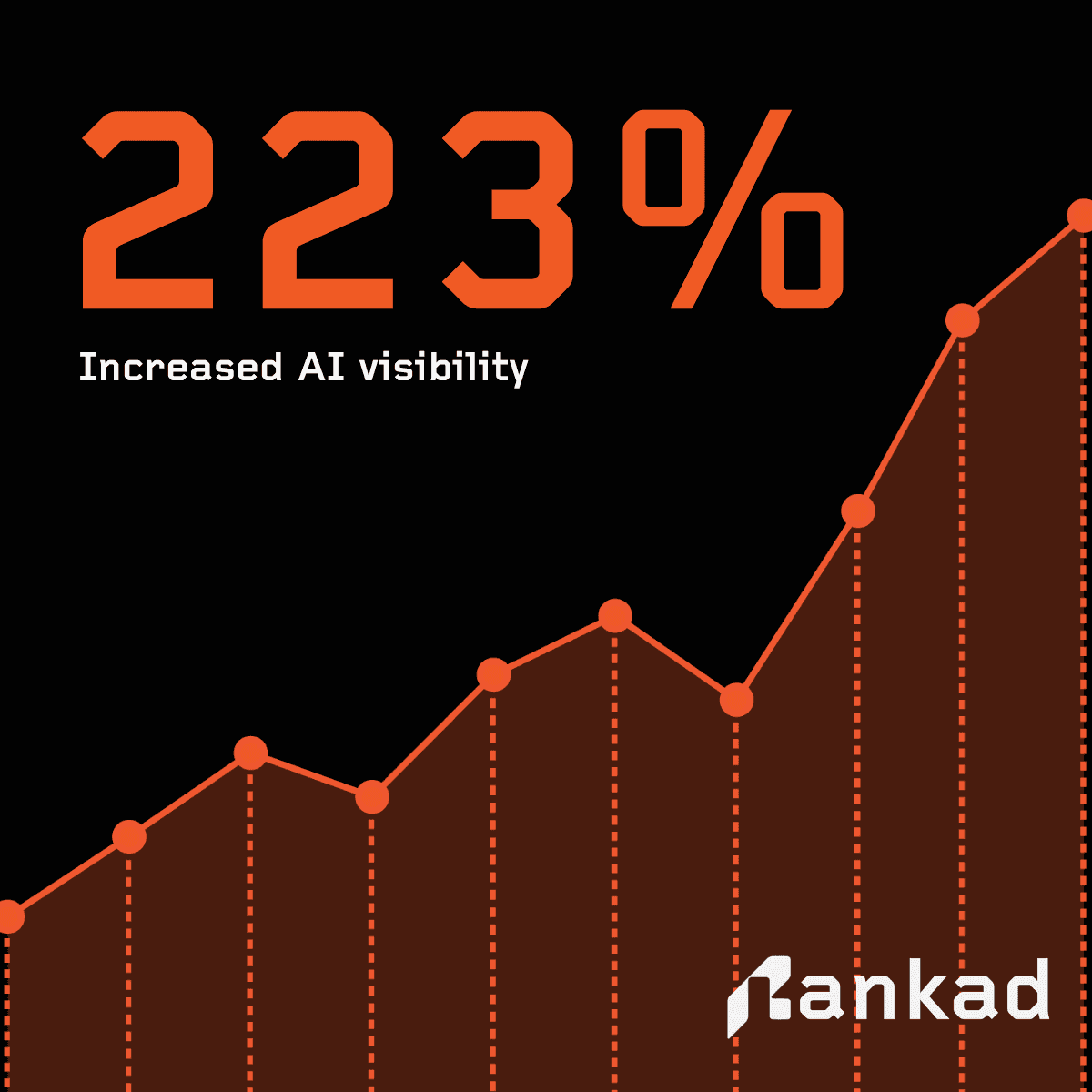
AI Search Optimization: How Rankad Helped 50+ Brands Achieve 223% Visibility Growth in 2026
Rankad.ai analyzed 50+ brands to uncover why most start with zero AI search visibility and how optimization can increase visibility by 223%. Learn actionable strategies for e-commerce, SaaS, and more.

AIO
How AI Chooses Brands: Best Practices for AI Search Optimization
Learn how AI systems decide which brands to mention in answers and recommendations, and how AI SEO, AEO, GEO, and AIO influence visibility.

Digital Marketing
AI SEO vs AEO vs GEO vs AIO: Key Differences and Best Practices for 2026
AI SEO, AEO, GEO, and AIO all impact how brands appear in AI answers. Learn the differences and why modern visibility needs all four.
free forever - no credit card needed